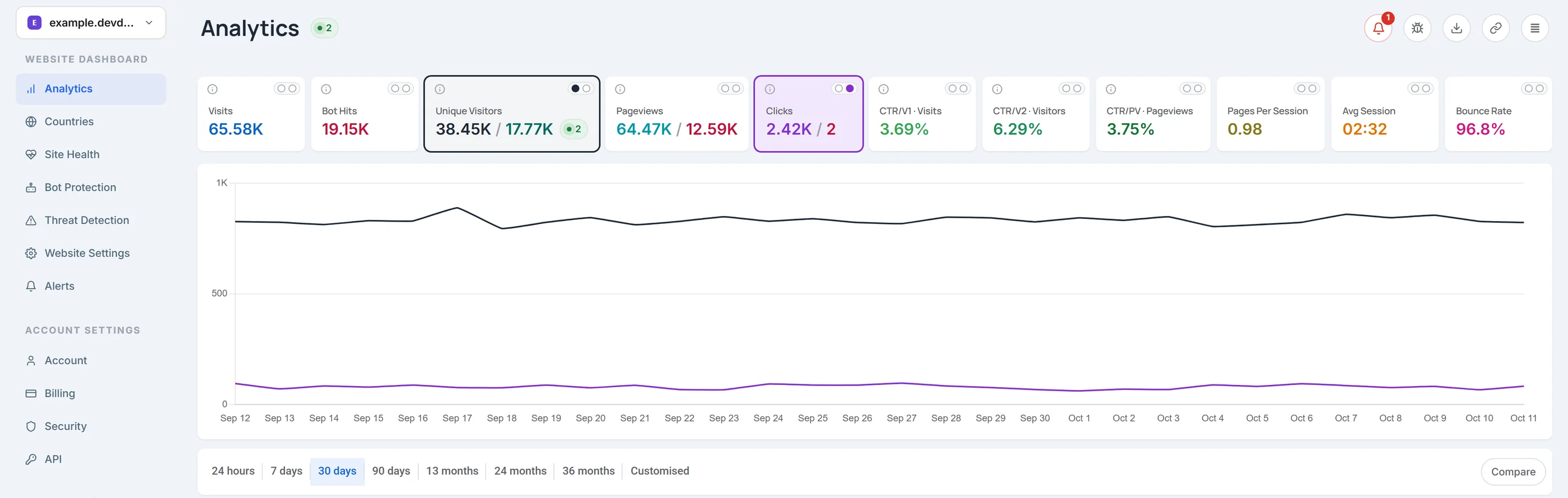
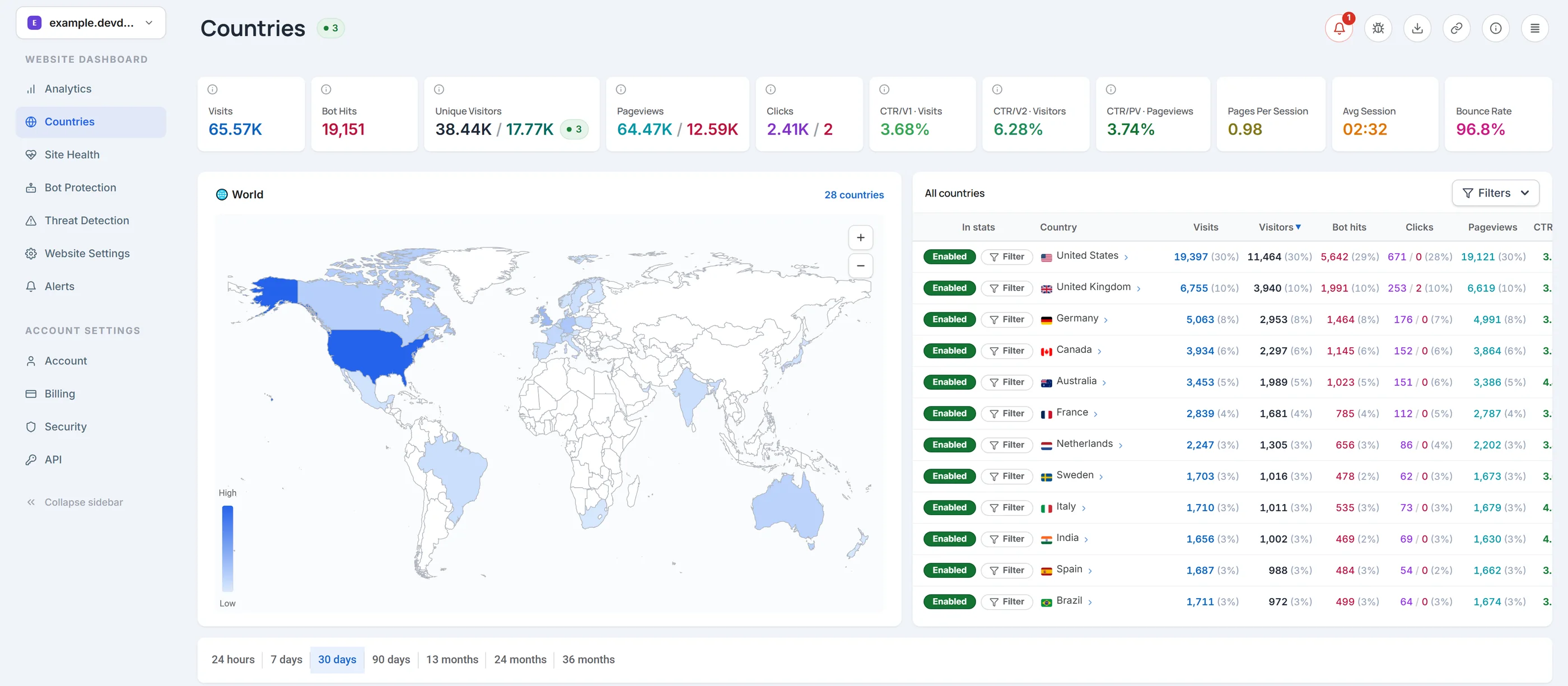
Website analytics that counts people and bots separately.
DevDome shows pageviews and clicks from people and from bots as separate numbers. See your visitors, see which bots and AI crawlers come to your site, and check if your site is online.
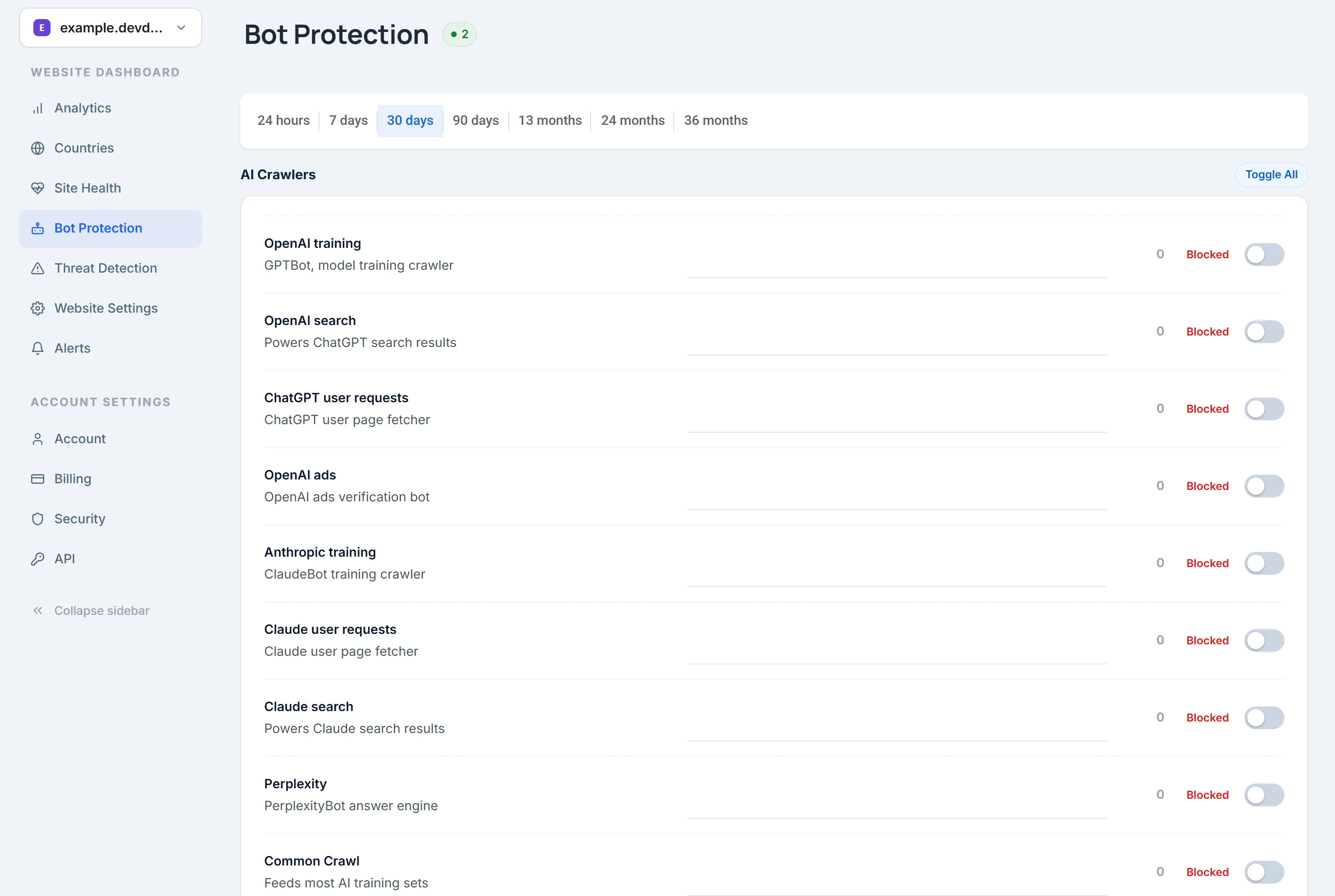
Click to enlargeSee the AI crawlers and other bots that come to your site, each one by name.To block bad bots on WordPress, install the free DevDome Bot Protection plugin and turn on Block Bad Bots.
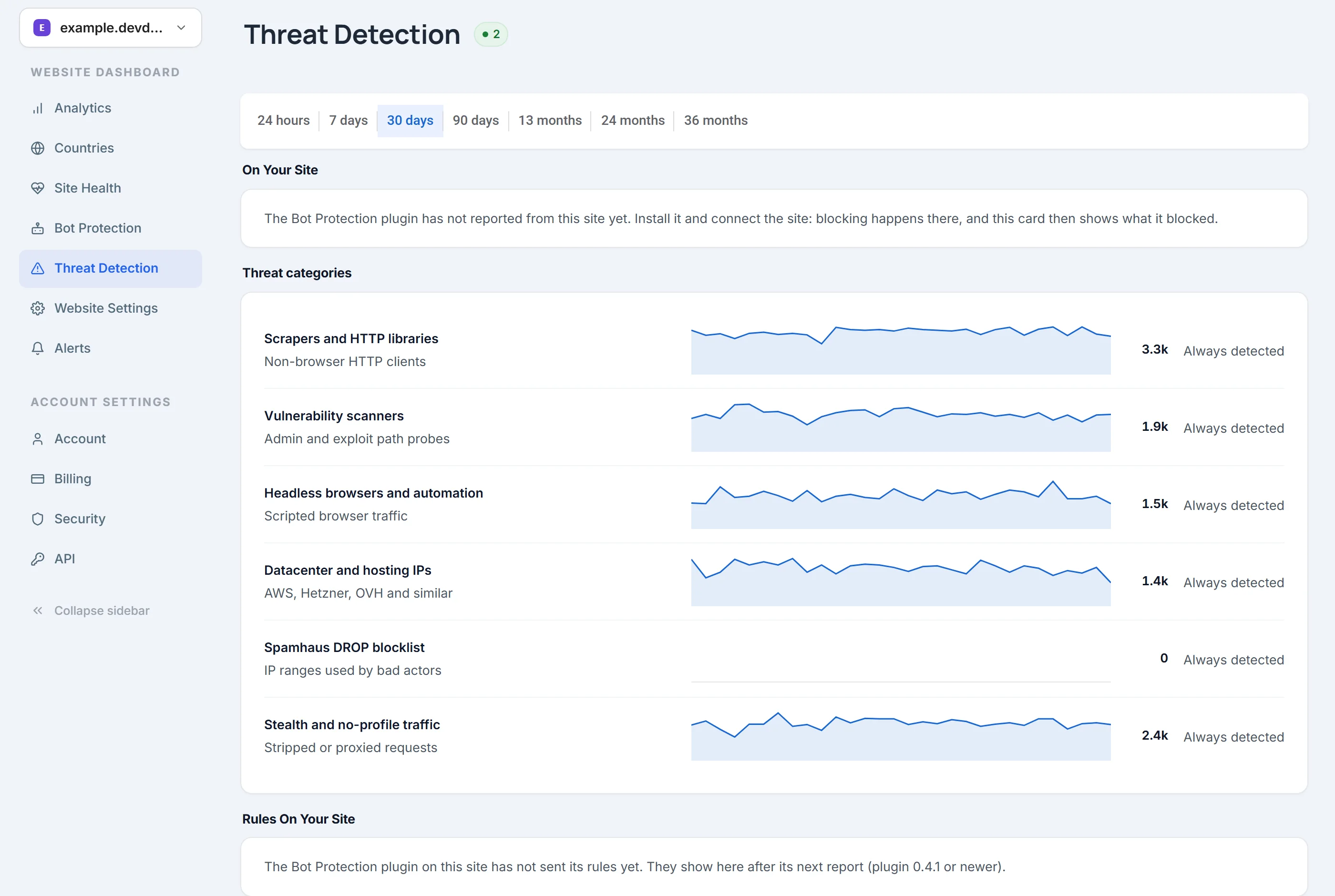
Click to enlargeSee what kind of automated traffic comes to your pages: scrapers, vulnerability scanners, headless browsers and datacenter IP addresses.Each type has a 30-day trend and a count.
DevDome dashboard, example data. Some bots can still be missed.
In WordPress, go to Plugins > Add New, install it and activate it.
02
Connect your free account
In WordPress, open DevDome > Analytics, click Connect Via DevDome Account and approve the connection on devdome.com.
03
Open your dashboard
Check your tracking settings, then open your reports: visitors, top pages, countries and outbound clicks, with bots shown separately.
Not using WordPress? Add one small code snippet to any website. Install guide →
Site health in the same account.
Site health
Choose how often we check if your site is online and how fast it responds; the options depend on your plan. See page speed, accessibility and SEO scores for desktop and mobile. Turn on email alerts for when your site goes down or comes back online.
One account, all your websites
Connect as many websites as you want to one account. See traffic and site health in the dashboard, read them with the Stats API, or ask a connected AI assistant through the MCP server. Both are included in the Free plan. Export or delete your website’s analytics data from the dashboard.
The plugins are free to download. Paid plans are for the online dashboard: how many pageviews you can have, how long we keep your history and how often we check your site. Some optional plugin features also depend on your plan. Only human pageviews count toward your limit.
No credit card needed to start free. Prices in USD, plus tax where it applies.
Free WordPress plugins for other jobs on your site.
Ten free plugins on WordPress.org: bot protection, malware scanning, redirects, Amazon affiliate links, media cleanup, an activity log and more. Each plugin page says if it needs a DevDome account.
Analytics
Visitor tracking statistics: site stats, visitor stats, pageviews, sources, bot detection and outbound click reports. Free DevDome account required.
Block visitors by country or allow only listed countries, with verified Cloudflare headers or a free local GeoIP database and Test Mode to check your rules first.
I wanted something simple to see what is happening on my website without too much complicated setup. This plugin is easy to understand and gives me useful traffic information. Good experience so far.
ran into a problem during a scan and reported it. the developer pushed a fix quiclkly and i was able to continue testing. that's a good sign for a relatively new plugin.
By default, no. Analytics saves nothing on your visitors’ devices. Unique visitors are counted with a temporary ID that changes every day. If you turn on Track Returning Visitors, the plugin saves a first-party cookie and browser storage, and you may need to ask your visitors for consent.
No. Analytics shows bots separately from people, but some bots can be missed. To block bots on your website, install DevDome Bot Protection.
All ten DevDome WordPress plugins are free to download from WordPress.org. The Free dashboard plan includes 50,000 human pageviews per month, 90 days of history and a check every hour to see if your site is online, for unlimited websites.
DevDome Analytics needs a free account, because the reports are in the online dashboard. Bot Protection, Malware Scanner, Redirect Manager, Media Cleaner, Admin Cleaner, Country Blocker and Link Monitor work on your website without an account. Affiliate Manager works without an account for adding your tag, buttons and counting clicks; checking if products are available, finding replacements and sending visitors to their local Amazon store need a connected account. Optional dashboard reports and email alerts depend on the plugin.
Yes. DevDome has an MCP server, included in every plan, also the Free plan. Follow the MCP setup guide for your AI assistant, then ask it about your visitors, bots, clicks and site health. We store your API key; the answers come from your own account data.
The WordPress tracking script loads in the background and does not block your page. Malware Scanner and Link Monitor use server resources while a scan is running.
Latest from the blog
Articles and guides on website analytics, bots, affiliate marketing, redirects and WordPress.
Product updates, new tools, practical guides and sometimes partner offers. Unsubscribe with the link in any email.
Check your inbox: we sent a confirmation link. Open it within 48 hours to finish signing up.
If this address unsubscribed before, it stays off until you turn emails back on in your DevDome account.
Thanks, you are on the list. If this address unsubscribed before,
it stays off until you turn emails back on in your DevDome account.
You're subscribed
Product updates are on the way
New tools, plugin releases and feature updates land in your inbox as they ship.
We use necessary cookies to keep the site working. With your permission, we also use functional, analytics, and marketing cookies and similar technologies; those scripts load only after you allow them. Cookie Policy.